 OpenStreetMap

Multiuser mode
Now, you may go into the OSM-Data world and visit places ‘together with a friend’. As you move around, you will see your company next to you, also moving and watching. If you just start “OSM go”, your user name will be the name of your country. Or call www.osmgo.org?user=myName. Use a nickname or even better, use your OSM-name. A 2nd-click any place you want to visit and select the icon of “OSM go” to enter. Your friend may follwow you, using the slippy map (see below).
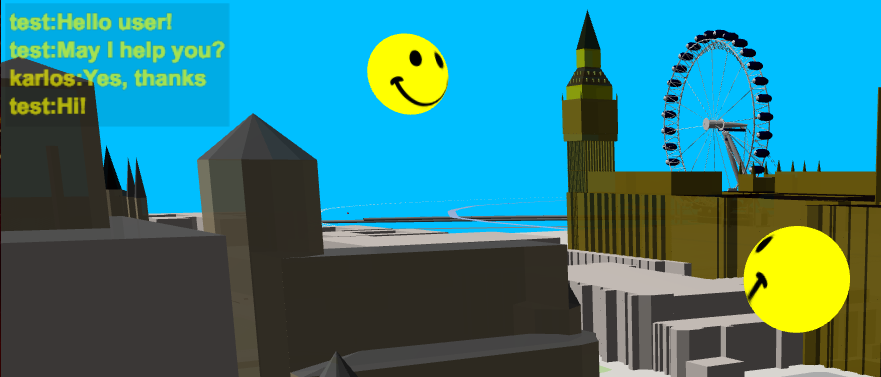
There is a ‘chat’ implemented in “OSM go”! Press key C and enter text in the popup dialog. The actual chat texts will be shown in the text box at the top left. There you will also see if an other user is dropping in or leaving. If you like to test it with me (-karlos-) just send me a time, I may be there and guide you. So don’t be afraid if you use “OSM go” and see a moving smile. Some visitors and me had already a lot of fun doing this. Some user of “OSM go” may have been shocking surprised, sorry.


 We found randomly added parks in the form of letters K N N in this


 From Wikipedia